Deploy your team's small apps to one server you own.
For the internal tools, dashboards and prototypes your people and their agents write: one command, live on HTTPS, behind your company's sign-in.
curl -fsSL https://github.com/cthiriet/sitesolide/releases/latest/download/install.sh | sh - licenseMIT
- releasev0.3.1
- CLIsingle binary
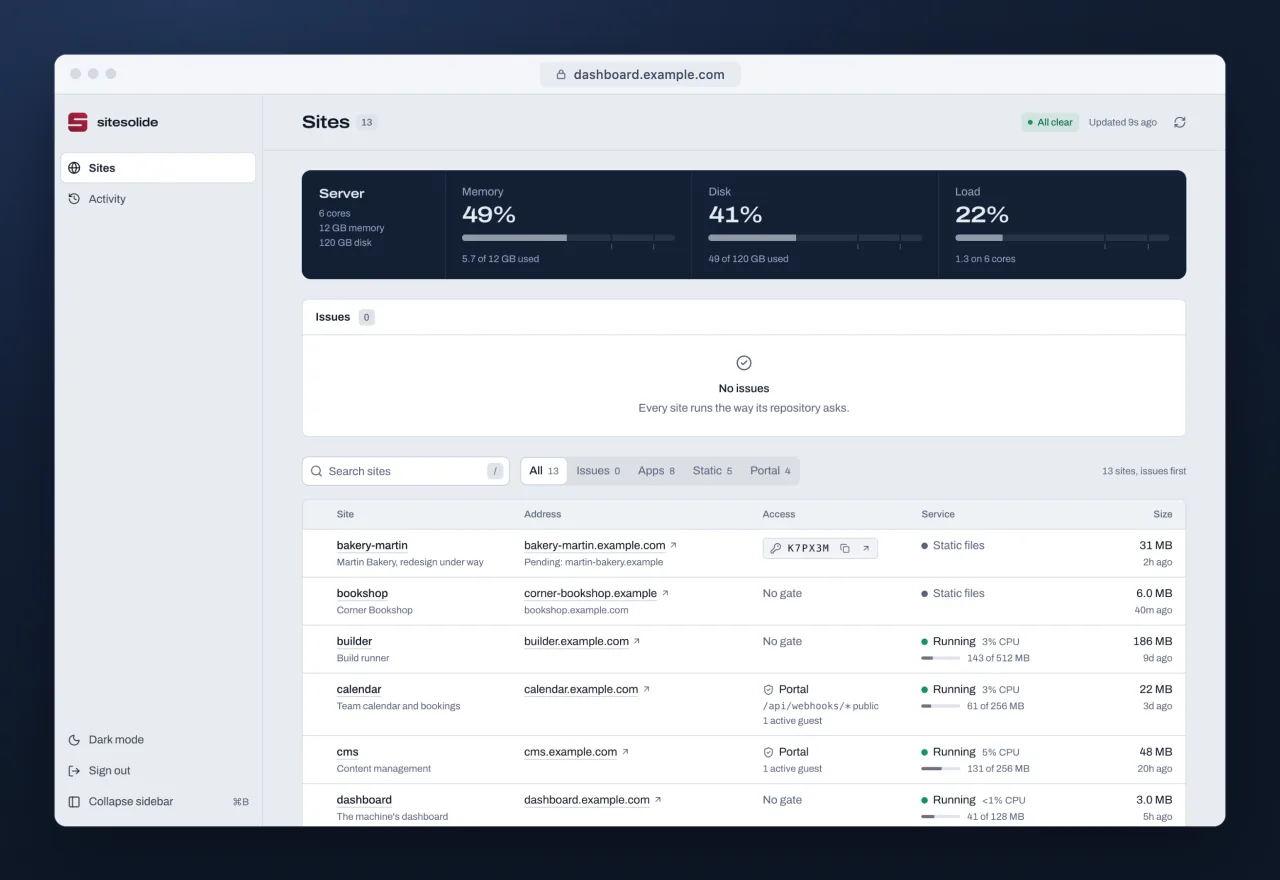
Everything a small app needs
Deploying, signing in, sharing, backups and monitoring come built in, on a machine you own.
-
Deploy in one command
Run
sitesolide deployin a folder: a static site, or an app in Bun, Node, Python, Go or any binary. It builds, installs, restarts, then checks the app answers on HTTPS. -
A server you own
One machine you rent, at Hetzner or any Debian 13 server. Caddy serves every app on HTTPS, at its own subdomain or on your domain, and systemd runs them. Apps, data and secrets stay on it: no containers, no per‑seat bill.
-
Your company's sign-in
Google Workspace, Entra, Okta or any OpenID Connect provider in front of private apps, which write no sign-in code and learn who came in.
-
Shared like a doc
Open an app to a colleague by their work email, or to everyone at your domain, from the CLI or the dashboard. It holds from their next request.
-
Team tokens, not root SSH
Colleagues and agents deploy over HTTPS with a personal token, scoped and revoked in one click. Only the owner holds SSH.
-
Hourly backups
Each project's data snapshotted hourly, SQLite copied consistently, optionally to an encrypted bucket. Restore from the dashboard.
-
Built for agents
Every command speaks
--json, one event per line, each error with a hint.sitesolide mcpserves deploy, logs and sharing to Claude Code, Codex or Cursor, and llms.txt indexes the docs. -
A monitor that tells you
Every site checked each minute: one message to Slack, Discord, Google Chat or ntfy when it goes down, one when it recovers. A heartbeat notices the machine itself dying.
How it compares
Different tools for different jobs: a hosted cloud, a dashboard for containers, a container deploy tool.
| Criterion | sitesolide | Vercel | Coolify | Kamal |
|---|---|---|---|---|
| Runs on a server you own | Yes | No, hosted only | Yes, or Coolify Cloud | Yes |
| Docker on the server | Not used: systemd and Caddy | Optional | Required | Required |
| CLI | Single binary | npm package | Single binary | Ruby gem |
| Your company's sign-in in front of apps | Built in, any OpenID Connect provider | Enterprise plan | Basic auth; SSO through a proxy you add | Not built in |
| Price | Free, MIT; you pay for the server | $20 a month per deploying seat, plus usage | Free self-hosted, Apache 2.0; Cloud from $5 a month | Free, MIT; you pay for the servers |
Sources: each project's own site and docs, checked on 5 October 2026
- Vercel: no on-premise product, Dockerfiles supported, not required, CLI install, Passport, Pro plan
- Coolify: installation, Docker, CLI, basic auth, pricing, license
- Kamal: installation, proxy options, license
- Out of date? Open an issue.
Get started in three steps
Once the CLI is installed: a domain on Cloudflare, and a Hetzner Cloud token or any Debian 13 server you reach as root.
-
Order a machineor bring any Debian 13 server
sitesolide machine create --provider hetzner --name web -
Install sitesolide on ithardened, DNS, Caddy, dashboard
sitesolide setup root@203.0.113.10 --zone example.com --email you@example.com -
Deploy a projectlive at my-app.example.com
cd my-app && sitesolide deploy